> ## Documentation Index
> Fetch the complete documentation index at: https://dripart-docs-lora-training-1772768349.mintlify.site/llms.txt
> Use this file to discover all available pages before exploring further.
# 取消您的 Comfy Cloud 订阅
> 了解如何取消您的 Comfy Cloud 订阅
## 如何取消
要取消您的 Comfy Cloud 订阅:
1. 访问并登录 [cloud.comfy.org](https://cloud.comfy.org/?utm_source=docs)
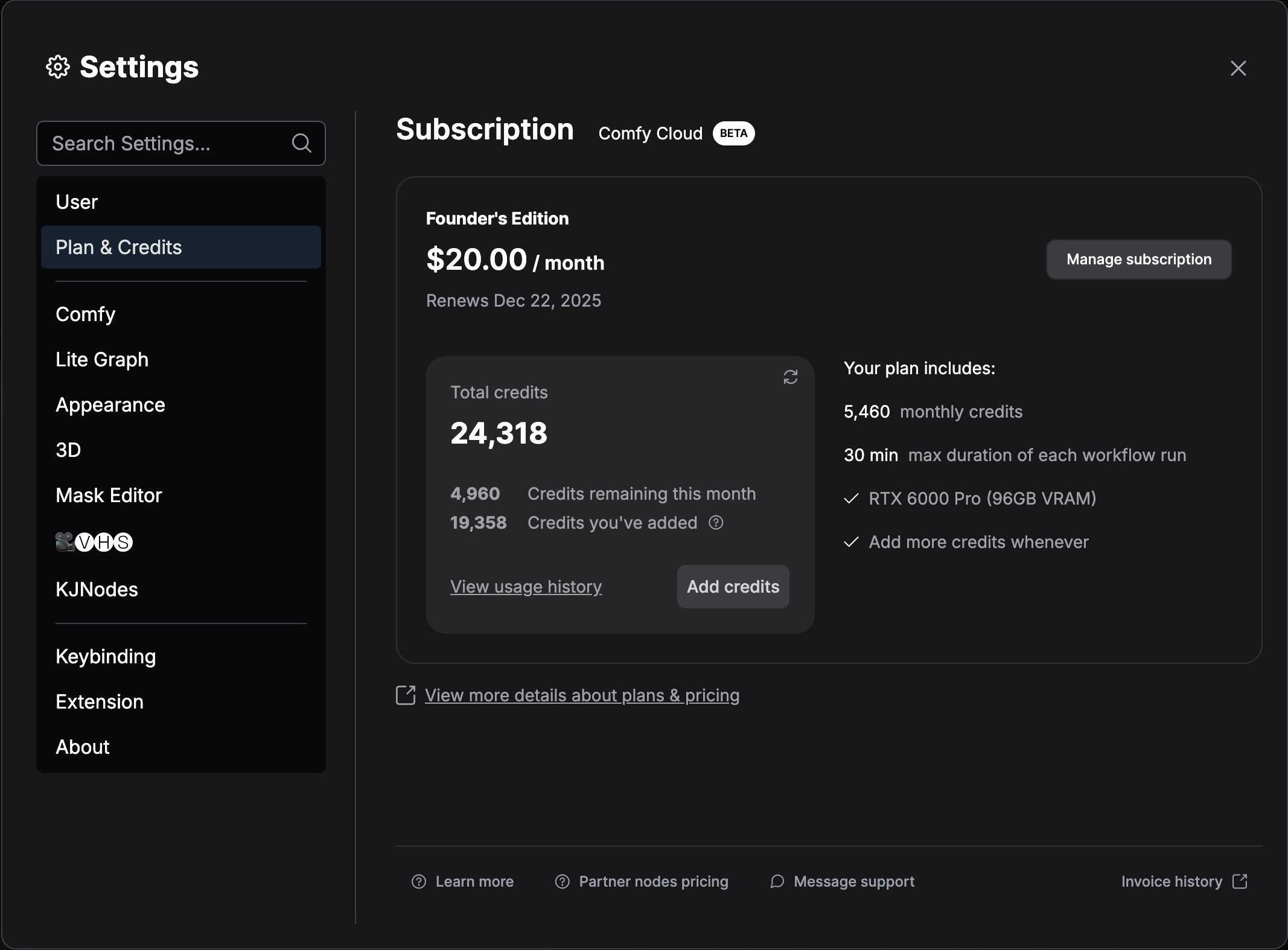
2. 导航到设置菜单
3. 进入 **Plan & Credits**(计划与积分)
4. 点击 **Manage subscription**(管理订阅)
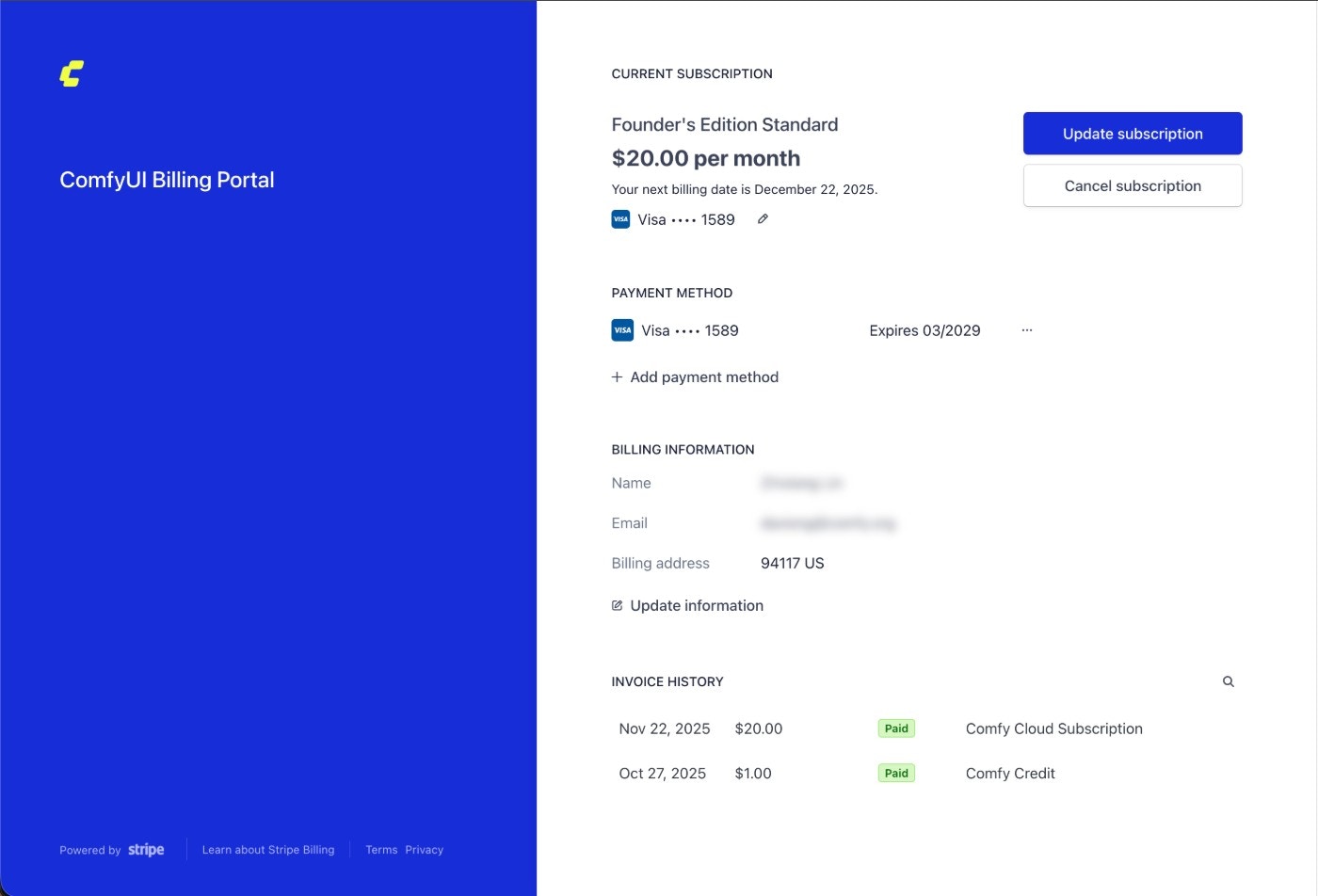
 5. 在 Stripe 中点击 `Cancel subscription` 按钮来取消订阅
 ## 重要说明
* 除非您设置取消计划,否则所有 Comfy Cloud 订阅计划都会自动续订
* 您的订阅将在当前计费周期结束前保持活跃状态
* 您可以随时通过访问 [cloud.comfy.org](https://cloud.comfy.org/?utm_source=docs) 重新订阅
## 重要说明
* 除非您设置取消计划,否则所有 Comfy Cloud 订阅计划都会自动续订
* 您的订阅将在当前计费周期结束前保持活跃状态
* 您可以随时通过访问 [cloud.comfy.org](https://cloud.comfy.org/?utm_source=docs) 重新订阅