> ## Documentation Index
> Fetch the complete documentation index at: https://dripart-docs-lora-training-1772768349.mintlify.site/llms.txt
> Use this file to discover all available pages before exploring further.

# マスクエディター - ComfyUI 内でマスクの作成と編集を行う

> ComfyUI のマスクエディターの設定や使用方法を含め、その使い方について学びます

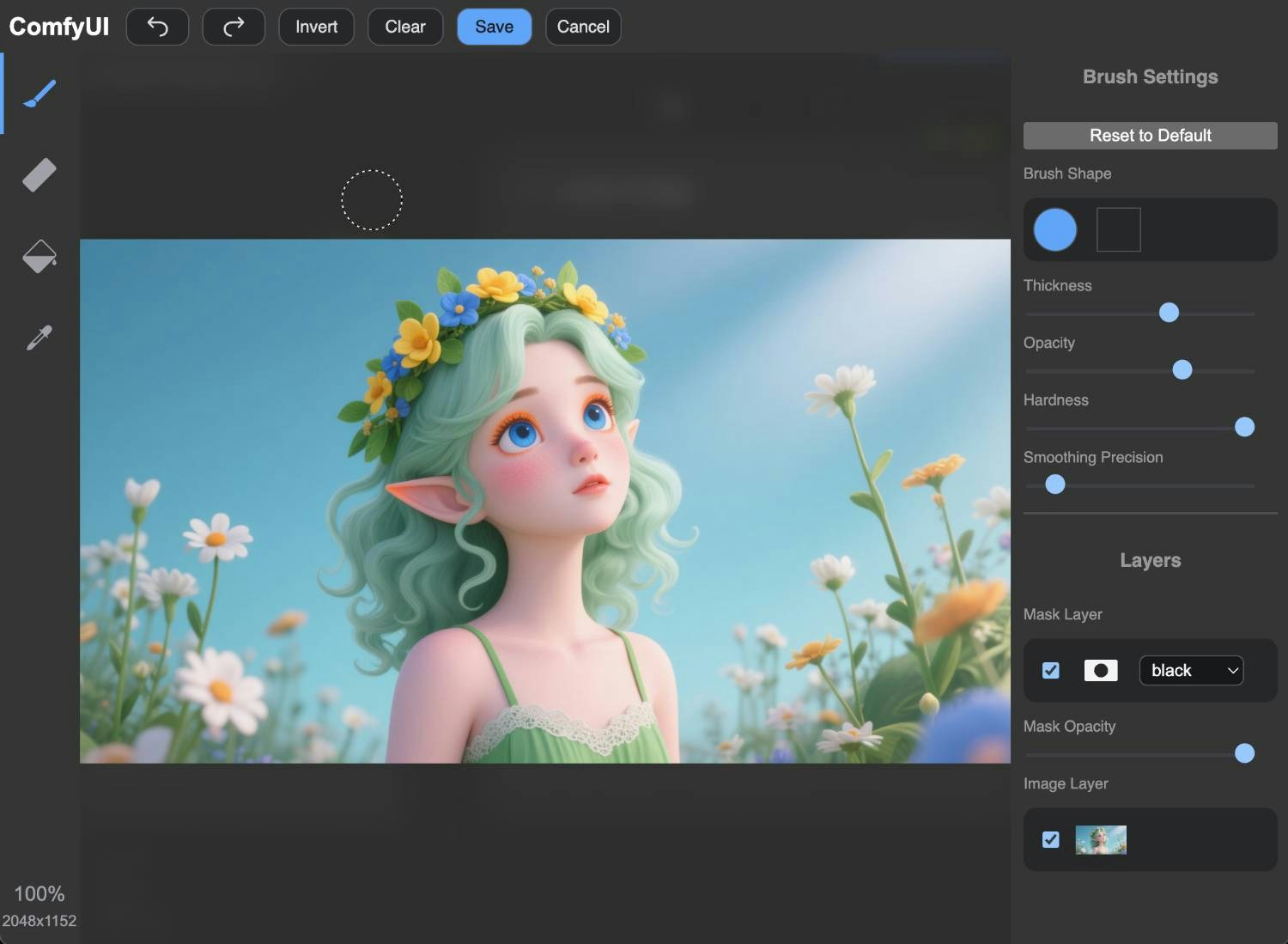
マスクエディターは、他のアプリケーションを使用せずに画像内でマスクを作成および編集できる、ComfyUI の非常に便利な機能です。

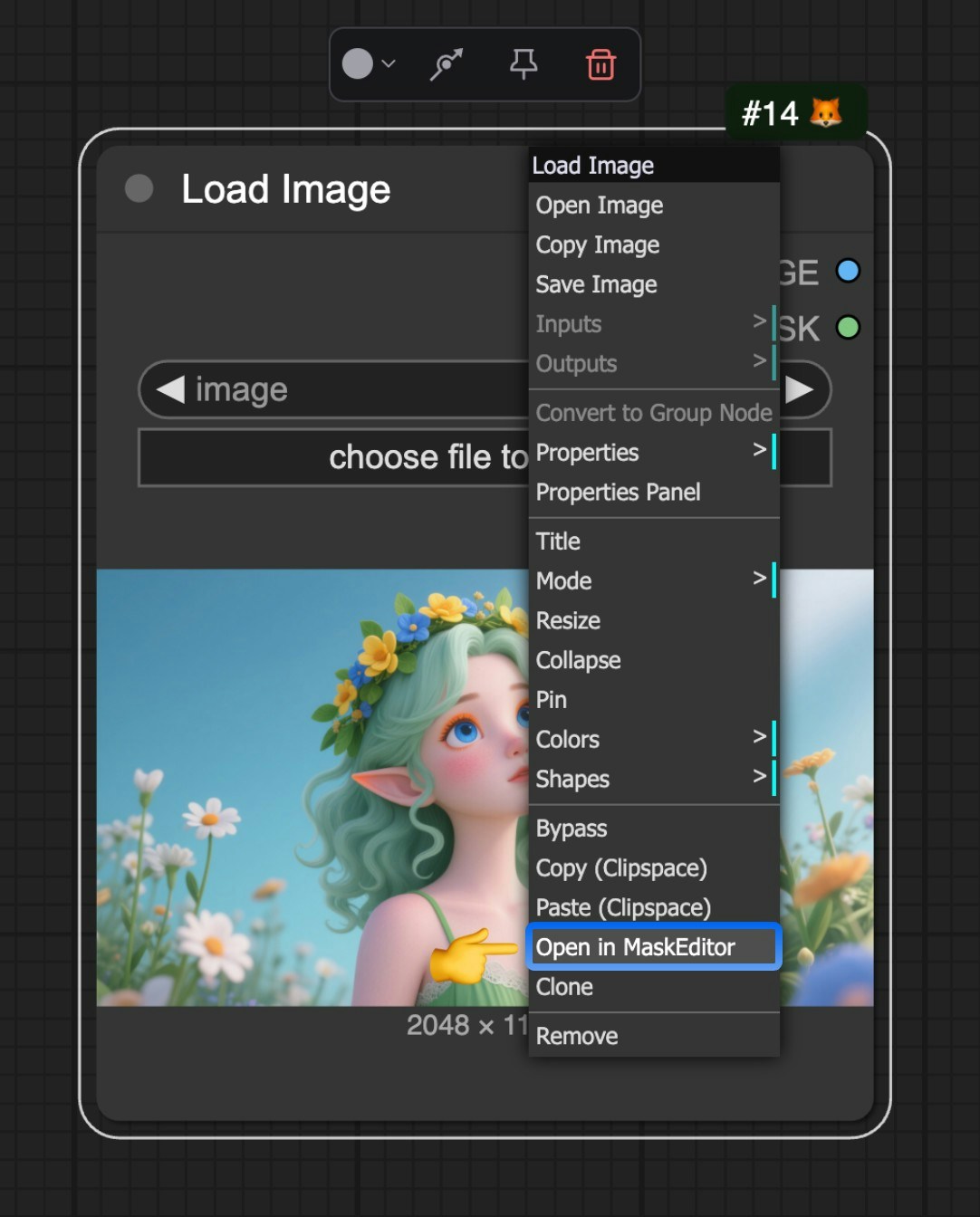
マスクエディターは現在、`Load Image` ノードを介して起動されます。画像をアップロードした後、ノードを右クリックし、メニューから `Open in MaskEditor` を選択してマスクエディターを開くことができます。

<img src="https://mintcdn.com/dripart-docs-lora-training-1772768349/iJIif8Dy3wIdruak/images/interface/maskeditor/maskeditor.jpg?fit=max&auto=format&n=iJIif8Dy3wIdruak&q=85&s=3f8aae5cac751c7a9b6410578e413fd1" alt="ComfyUI マスクエディター" width="1082" height="1344" data-path="images/interface/maskeditor/maskeditor.jpg" />

<img src="https://mintcdn.com/dripart-docs-lora-training-1772768349/iJIif8Dy3wIdruak/images/interface/maskeditor/maskeditor_ui.jpg?fit=max&auto=format&n=iJIif8Dy3wIdruak&q=85&s=5bc6651dd552c04b7d16c114a90b9f91" alt="ComfyUI マスクエディター" width="1500" height="1099" data-path="images/interface/maskeditor/maskeditor_ui.jpg" />

その後、マウスで画像上をクリックすることで、マスクの作成と編集が行えます。

## 動画チュートリアル
<video controls>
  <source src="https://mintcdn.com/dripart-docs-lora-training-1772768349/iJIif8Dy3wIdruak/images/interface/maskeditor/maskeditor.mp4?fit=max&auto=format&n=iJIif8Dy3wIdruak&q=85&s=ee05bdcac7c4d8bdb25e805346251aae" type="video/mp4" data-path="images/interface/maskeditor/maskeditor.mp4" />

  お使いのブラウザは video タグをサポートしていません。
</video>